8. Work the Fields tab

This is the tab that answers is this case done. Everything else is somewhere you go because this told you to.

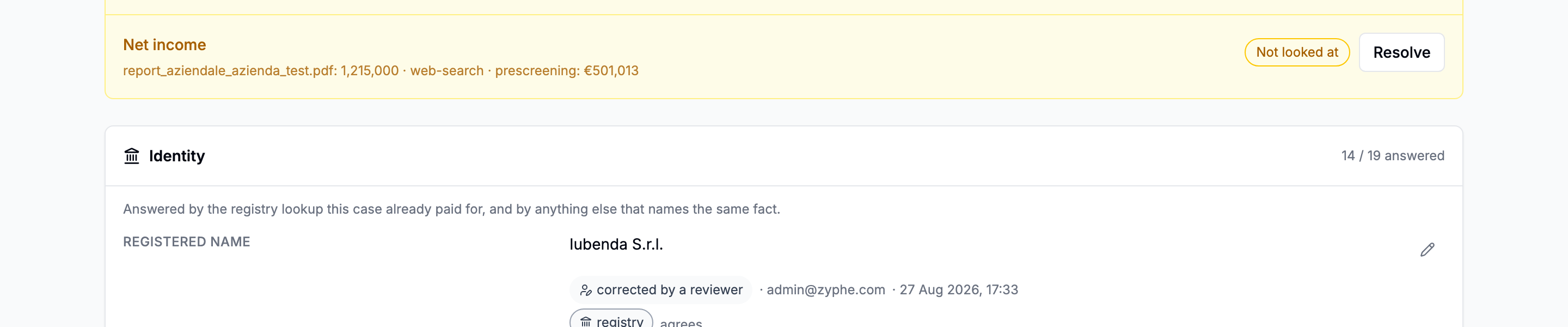
The Fields tab with the identity, ownership, financial and custom field blocks, each row showing a value and the sources that answered it
Four blocks, in the order they can be answered: identity, ownership, the accounts, then your own fields.

Reading a row

A row is not the answer. It is every answer, attributed. The strongest one is the value; the others sit under it as chips saying who else answered and whether they said the same thing.

A single field row with its value and three source chips beneath it: registry, a document, and a web search

Registry, document, web search. Each chip links to what it rests on: the page reference, or the sources the research pass used.

Two states are worth more than the value itself:

  • Corroborated: several independent sources say the same thing. A stronger claim than any one of them makes alone.
  • Disputed: two sources disagree. This is the finding, and it is the reason for asking more than one source in the first place.

Work the discrepancies first

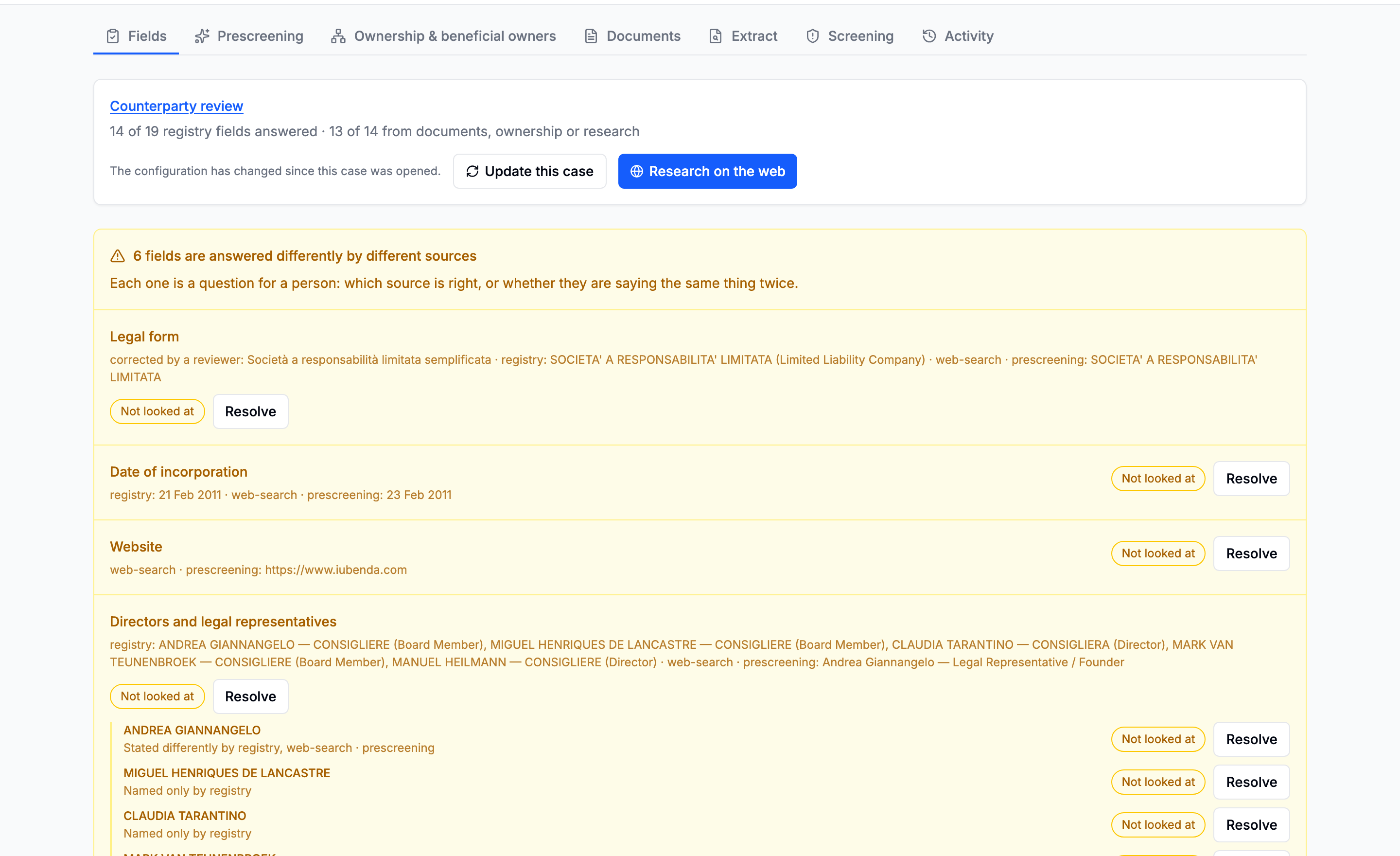
Disputed fields are lifted to the top of the tab as a queue, rather than left to be found by scrolling.

The Disagreements panel at the top of the Fields tab, one row per disputed field with a Resolve action
One row per disagreement, with the action beside it.

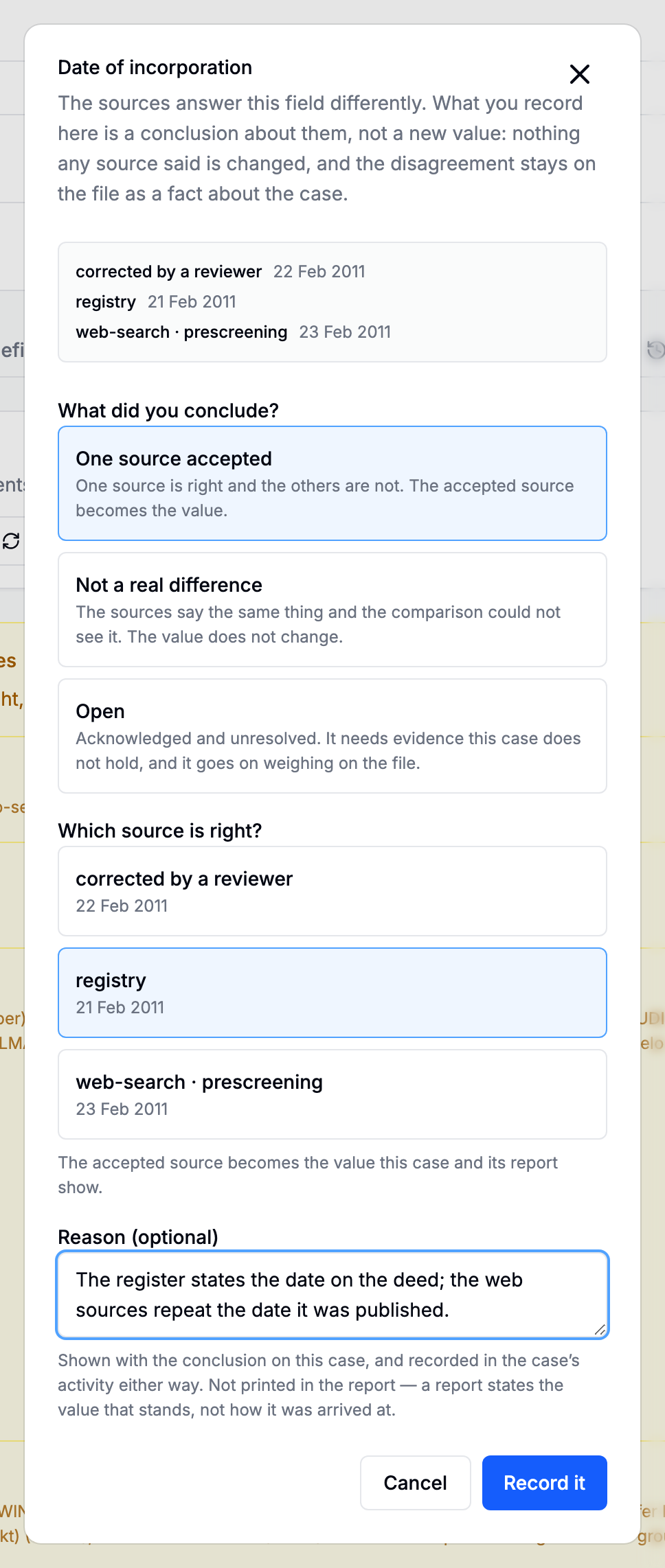
Each one is settled with a resolution, which records what you concluded, in one of three outcomes:

OutcomeWhenWhat it does
AcceptedOne source is right and the others are notThat source's answer becomes the value
Not a differenceThe sources agree and the comparison could not see itNothing changes except that somebody looked
OpenAcknowledged, and it needs evidence the case does not holdGoes on weighing on the file
The resolution dialog asking what you concluded, which source is right, and an optional reason
A resolution is a judgement about answers that already exist, not a new answer.
A resolution goes stale when the evidence moves

A judgement was made against a particular set of answers. Upload a document tomorrow that answers the same field and the resolution is about a different question, so the field returns to the queue marked Sources have changed, carrying what was decided before. A green tick that stayed green through that would assert a review that never happened.

Correcting a value yourself

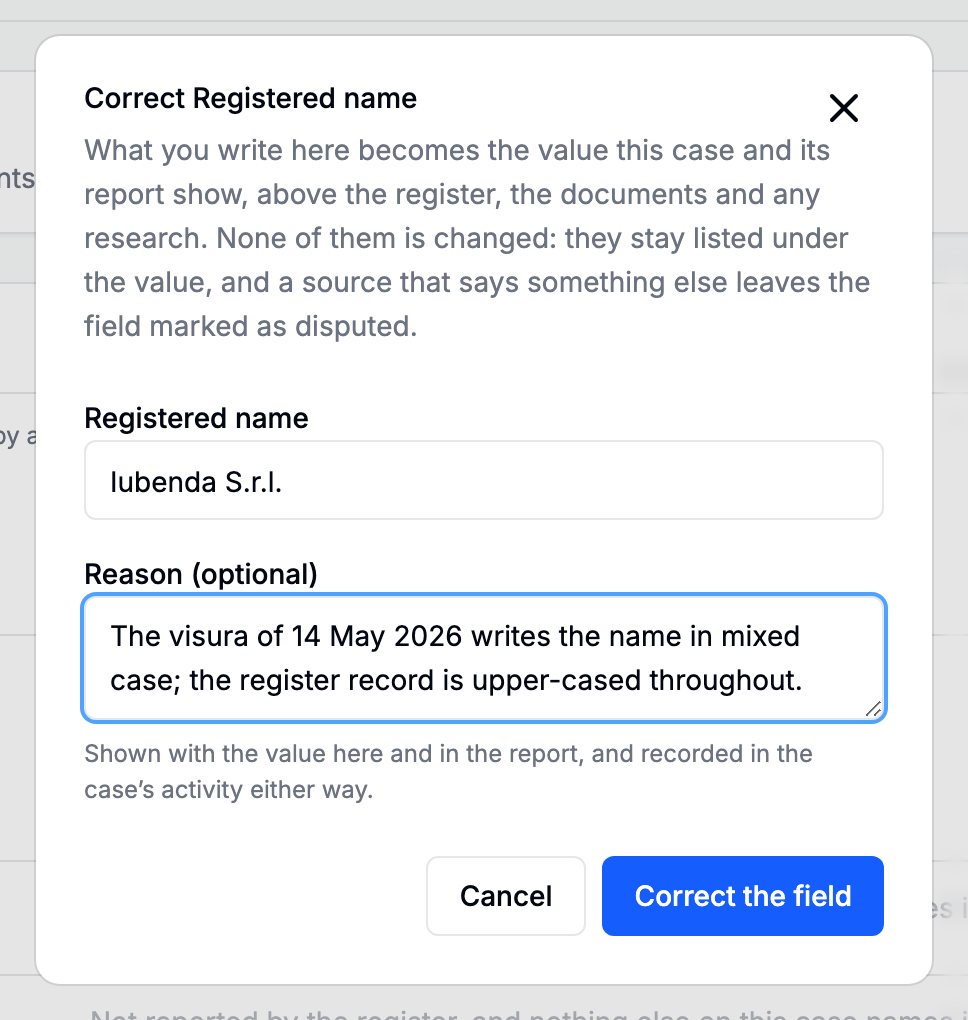
Separate act, separate button: the pencil on any row. A correction says the value is X, and it outranks every automatic source. It is the only way to answer a field no document on the case carries.

The correction dialog for a field, with the value and an optional reason for the change
Use the reason. It is what the next reader has instead of your memory.

A corrected value prints in the report marked corrected by a reviewer. That line is the one thing in the document that rests on a person rather than on a source, which is why an affirmation of an existing source is a resolution rather than a correction.

Filling the gaps

A field nothing has answered says so plainly. Three ways out, in increasing cost:

  1. A document on the case answers it, but nothing read that document. Read it on the Extract tab.
  2. A document on the case answers it, but the schema called it something else. The row says which schemas would cover the field. Fix the schema and read the document again.
  3. Nothing on the case answers it. Run a research pass. It asks a model your configuration's own questions, by name, and brings back per-field answers with per-field links. It is allowed to say it could not find something, and what it says it could not find is shown, because it looked and could not find this is worth more than a confident answer nobody can tell from a correct one.
The Research these fields button on the Fields tab, with its confirmation naming the cost
The research pass asks your fields, under your names, and answers with links per value.

Next: Screen the people.

Going deeper: The Fields dossier · Disagreements · Corrections · Field research