10. Issue the report
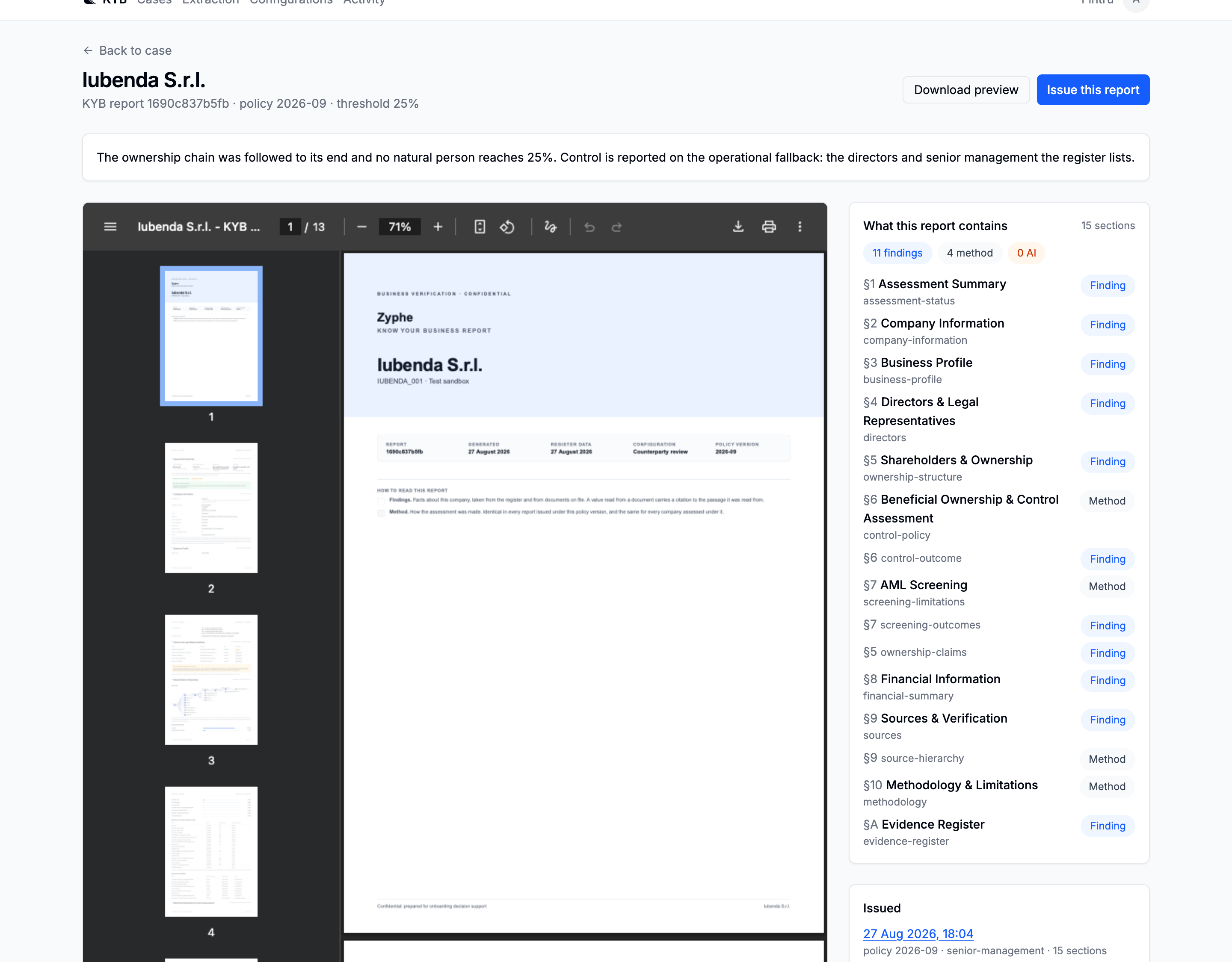
From the case, open Report. What you land on is the live document, which re-renders whenever the case does, next to a manifest of what it is made of.
Read the manifest before you issue
The manifest is the point of this page rather than a debugging aid. It lists every section the report will carry, and tags each one:
| Tag | What it is |
|---|---|
| Finding | Something this case established: the register record, the directors, the ownership, the screening outcomes |
| Method | What was done and what its limits are: the policy, the source hierarchy, the methodology |
| AI analysis | Model prose over the case's own data, labelled as such |
Noticing that a report carries no ownership part takes one line here, rather than paging through the PDF. Sections appear because the case's data makes them meaningful (a beneficial owners roster on a case with no qualifying owner is not a preference, it is a misleading page) and then, for the optional ones, because the configuration asked for them.
Above the preview sits the control basis statement: in one sentence, on what basis control of this company was determined, and whether the case could determine it at all.
Issue it

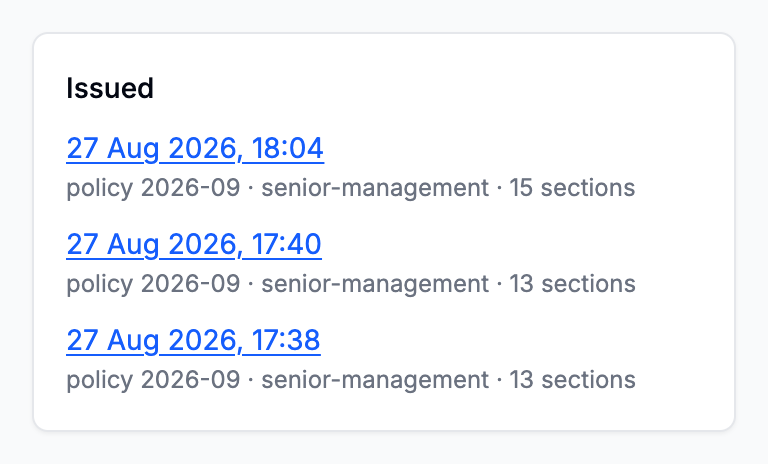
Issue this report is not a save. The preview is always live; this is the act that makes one particular reading of the case permanent and attachable to a decision. What is frozen is the whole finished input, so an issued report re-rendered next year is the same document, whatever has happened to the case since.
The PDF is built afterwards rather than while you wait, and the row says where it got to. The reason is the evidence appendix: every citation in it carries a band of the source page, full width, with the cited passage marked, and each one means fetching a document and rasterising a page of it.
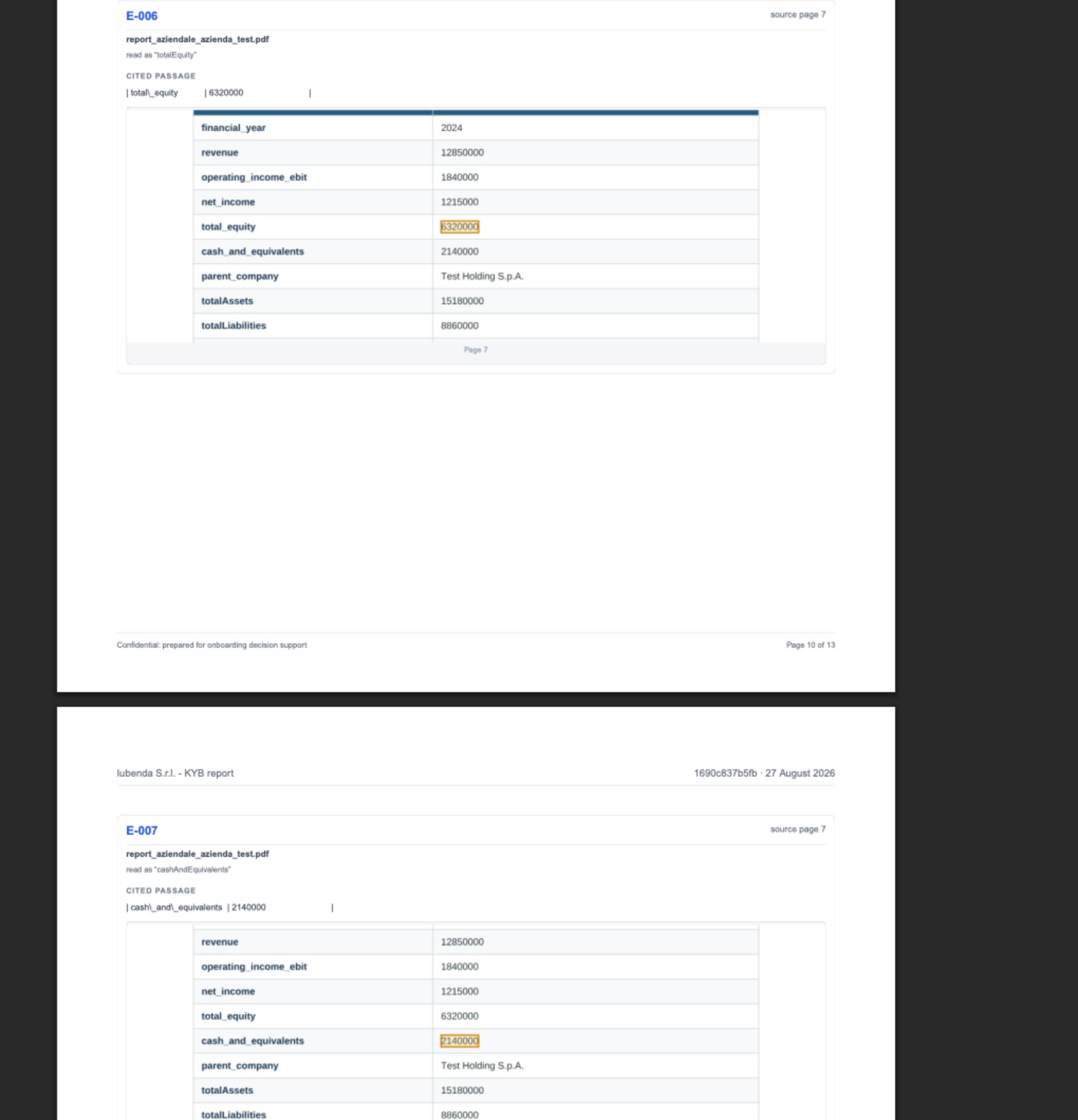
Full width is the point of the picture: a figure cut out of its row proves nothing, because the label beside it and the heading above it are what say which figure it is.
Download preview gives you the document as it stands right now, unfrozen and unrecorded, which is fine to send round as a draft. Issue is what you attach to a decision.
Next: What to set up next.
Going deeper: Reports · What is in a report · Issuing and the PDF