3. The case page

The case exists from the moment you confirmed. What it holds arrives over the next few seconds.

Enrichment

The registry lookup is not instant. The case is created immediately with the status Enriching, and the page watches it settle by itself. You do not have to refresh, and the watching is free.

A case page with the Enriching badge and datapoints still marked in progress
Each datapoint settles on its own. The page polls until they are all in.

When it settles the badge becomes one of:

StatusWhat it means
CompleteEvery datapoint the register was asked for came back.
PartialSome came back and some did not. What is missing is marked on the page.
FailedNothing came back. The case is still there, and Retry enrichment is offered.
ManualThe details were entered by hand rather than fetched. Terminal, but nothing was verified.
Closing the tab is safe

Nothing here is held in memory. If you close the tab mid-enrichment, the case settles the next time the case is opened. The same is true of every other long-running thing in the product: an ownership walk, a document being read, a fan-out of screenings.

The header

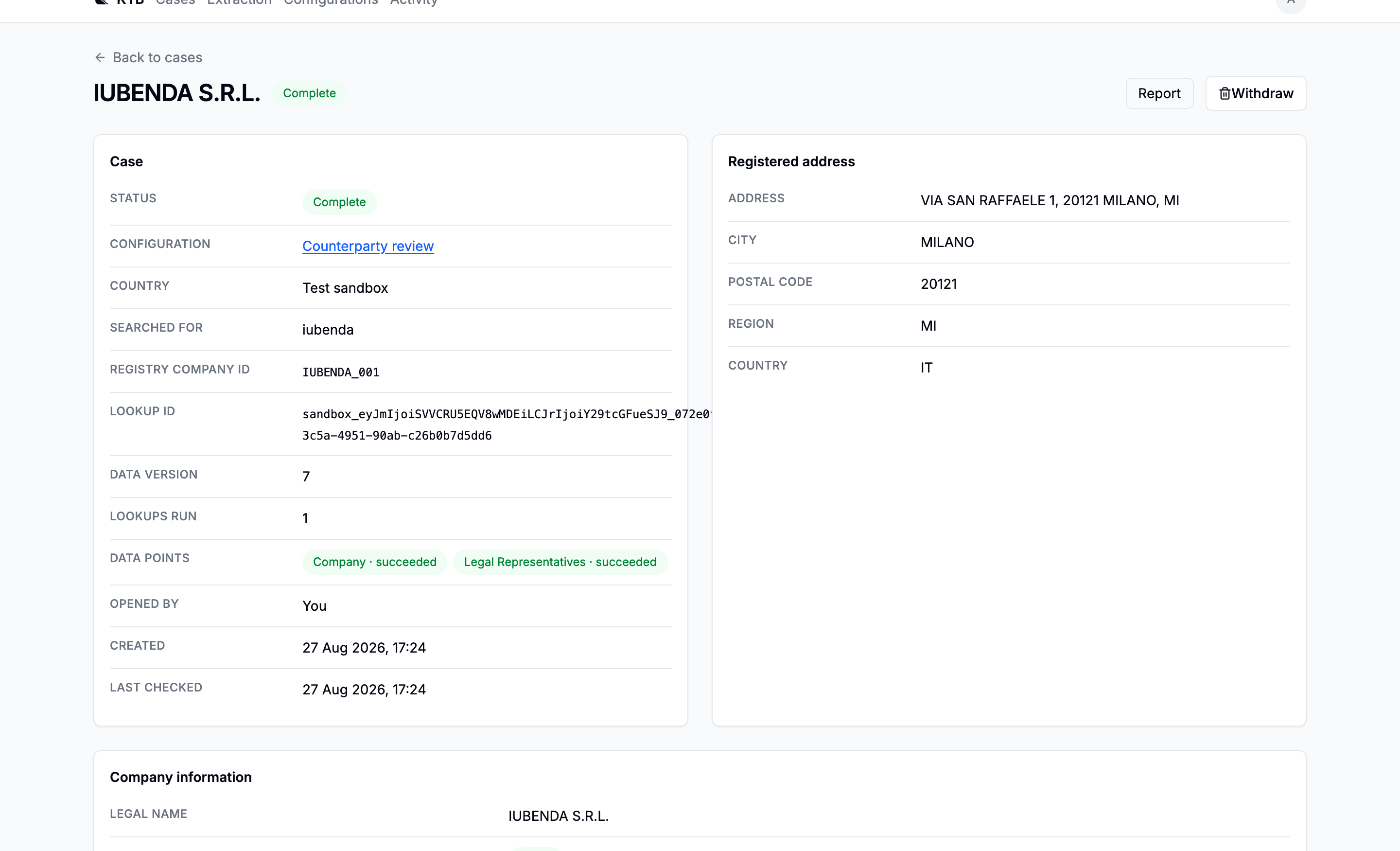
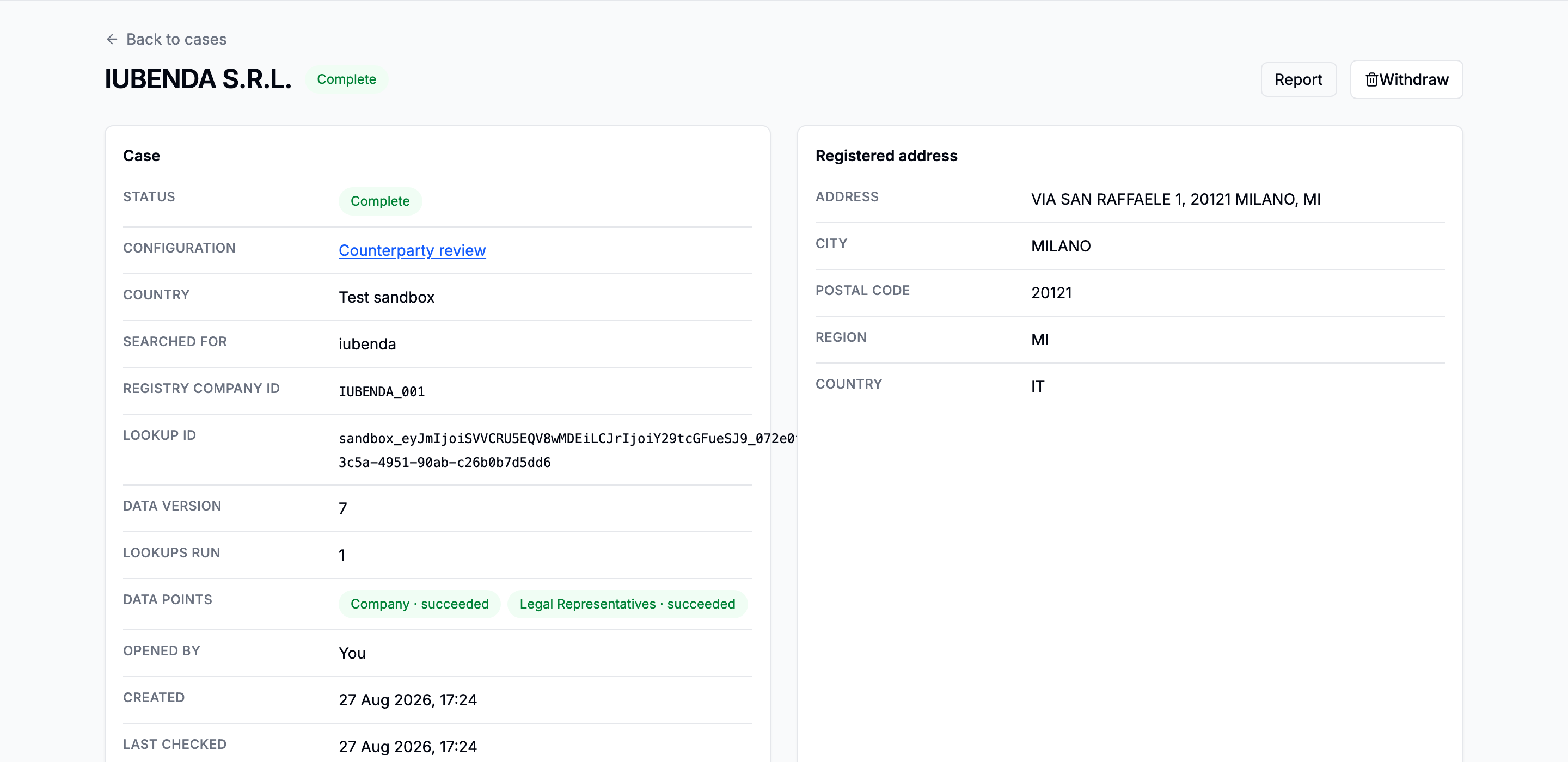
The case header with the company legal name, country, status badge and registration id
The company as the register states it, plus when the case was opened.

Under it sit the register's own record (the company block, the registered address, and the current legal representatives) followed by the seven tabs.

The seven tabs

The case tab bar: Fields, Prescreening, Ownership and beneficial owners, Documents, Extract, Screening, Activity
The order is the order they become useful in.
  • Fields: the dossier. Every fact this case was opened to establish, every source that answered it, and whether they agree. It opens first because it is the only tab that answers is this case done.
  • Prescreening: an online pass over the company by a model, with links. It establishes nothing; it tells you which of the expensive tabs are worth spending money in.
  • Ownership & beneficial owners: the shareholder chain, walked a level at a time.
  • Documents: what the registers will sell, and what you upload.
  • Extract: what those documents say, read with a schema, with the page each value came from.
  • Screening: the watchlists and the news, on the company, its directors and its owners.
  • Activity: what was done on this case, and what each value held before it changed.

Which tab is open is in the URL, so a link to a case is a link to the tab you were on. Every tab keeps working while you are looking at another one, so leaving the Documents tab does not stop a document being fetched.

One screening happens on its own

The subject company is screened against the watchlists as soon as enrichment lands. There is exactly one of it and its cost is known, so it does not wait to be asked. Nothing else here happens unasked: directors and beneficial owners are offered, with their names and a count, and you decide.


Next: Read the prescreening.

Going deeper: Cases · Case statuses