Searching and opening a case

Search is free; opening a case is not

Searching a register costs nothing, however many times you do it. Opening a case runs one paid registry lookup, which brings back the company's details and its legal representatives.

That asymmetry is the whole shape of this screen: refine the query as much as you like, and only confirm when you are sure which company you mean.

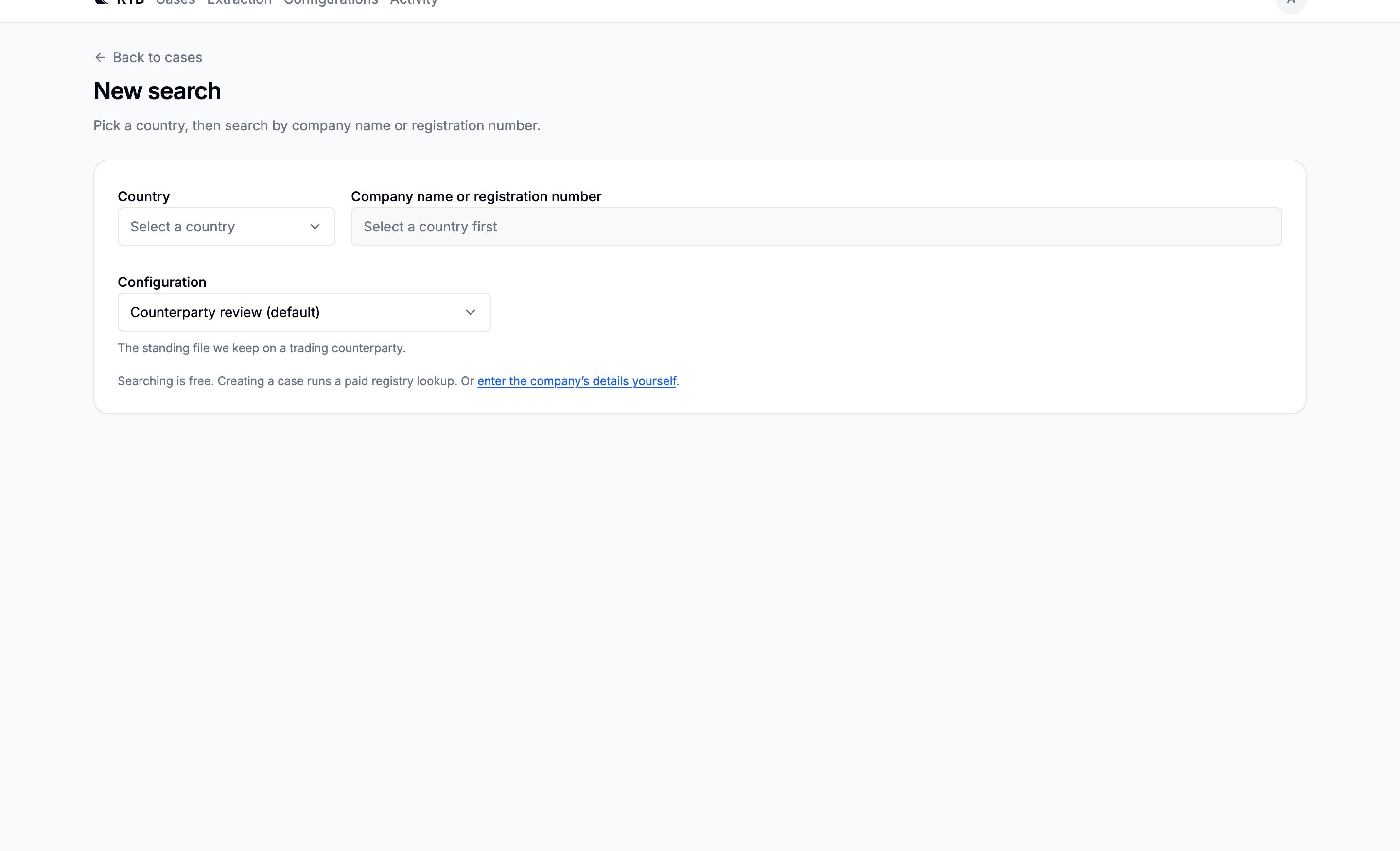
The new search screen with country, query and configuration controls
Country, query, configuration. The query field stays disabled until a country is chosen.

Country first

The search goes to one country's business register, so the country is not a filter. It is the thing being asked. Forty countries can be searched by name, and the register list names each one and the register the answer comes from.

The same forty are the ones the manual form offers. For a company a register does not carry, and for anywhere outside those forty, open the case by hand.

If your deployment has the test sandbox switched on, a Test sandbox entry sits at the bottom of the select. It answers every endpoint a real country does, for free.

Reading the results

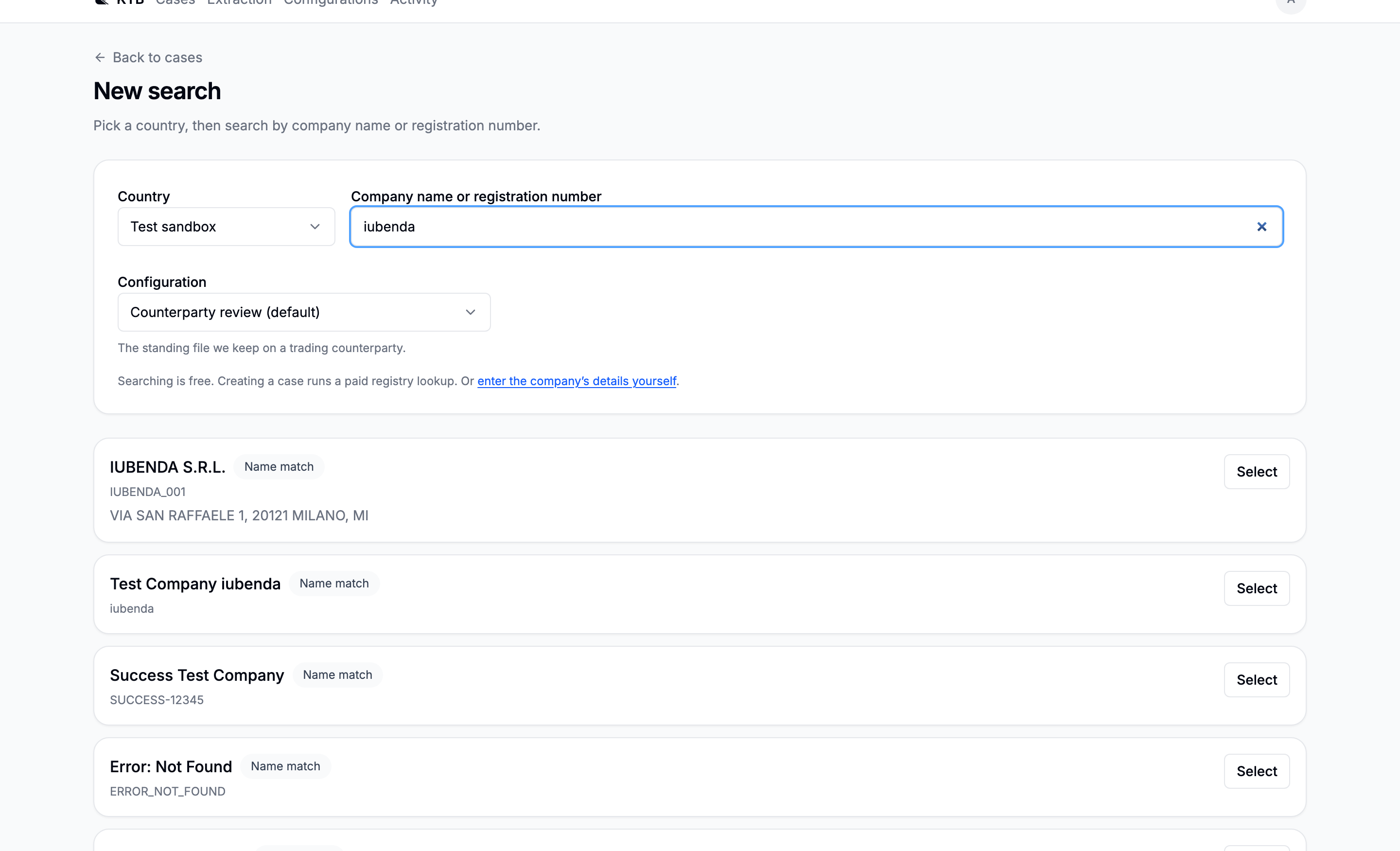
Results appear as you type, and each carries a badge saying why it matched.

BadgeMeaning
Exact ID matchThe registration number you typed. This is the company.
Exact name matchThe legal name, exactly.
Partial ID matchPart of a registration number matched.
Name matchA name search hit. Could be a namesake, a near-name, or a dormant shell.
Search result cards each showing a match badge, the registration identifier and the registered address

Under the name: the identifier and the registered address. On a plain name match, those are what tell two companies apart.

Under a list of hits, and not only in place of one, there is a way out: none of these the company you are looking for? A register answering is not the same as a register answering about the company you meant.

The configuration decides what the case asks for

The configuration you pick decides which fields the case's dossier will carry, which figures it will look for in filings, and which optional sections its report will have. Standard field set is the standing option for a one-off: the full registry block plus the standard financial figures.

The case keeps both a reference to the configuration and a snapshot of the fields as they were. Editing the configuration afterwards therefore does not rewrite existing cases. When the two diverge, the Fields tab offers an explicit Update this case.

The confirmation

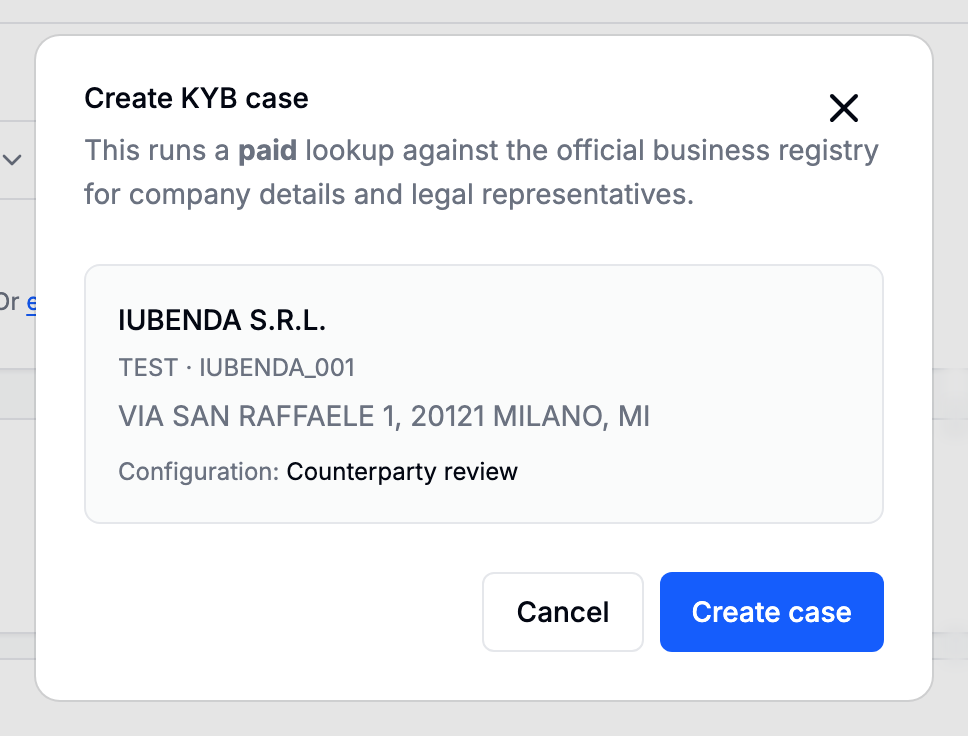
The create case confirmation naming the company, its country and identifier, its address and the chosen configuration
Everything the case will be opened on, before it is opened.

Press Create case and the lookup runs. It is charged once, and the product goes to some trouble to keep it that way: the button disables itself while it works, the receipt for the request is unique, and none of the routes that merely watch a case can ever start another one.

Retrying a failed enrichment

Retry enrichment is offered on a failed case and it is a second paid lookup. The case records how many it has cost, so retrying is explicit and says so.

Correcting the company afterwards

A case opened from a register carries the register's record and is not editable, so the way to correct it is to re-enrich. A case entered by hand is editable, on the same form it was created with. See Companies no register answers for.