Configurations
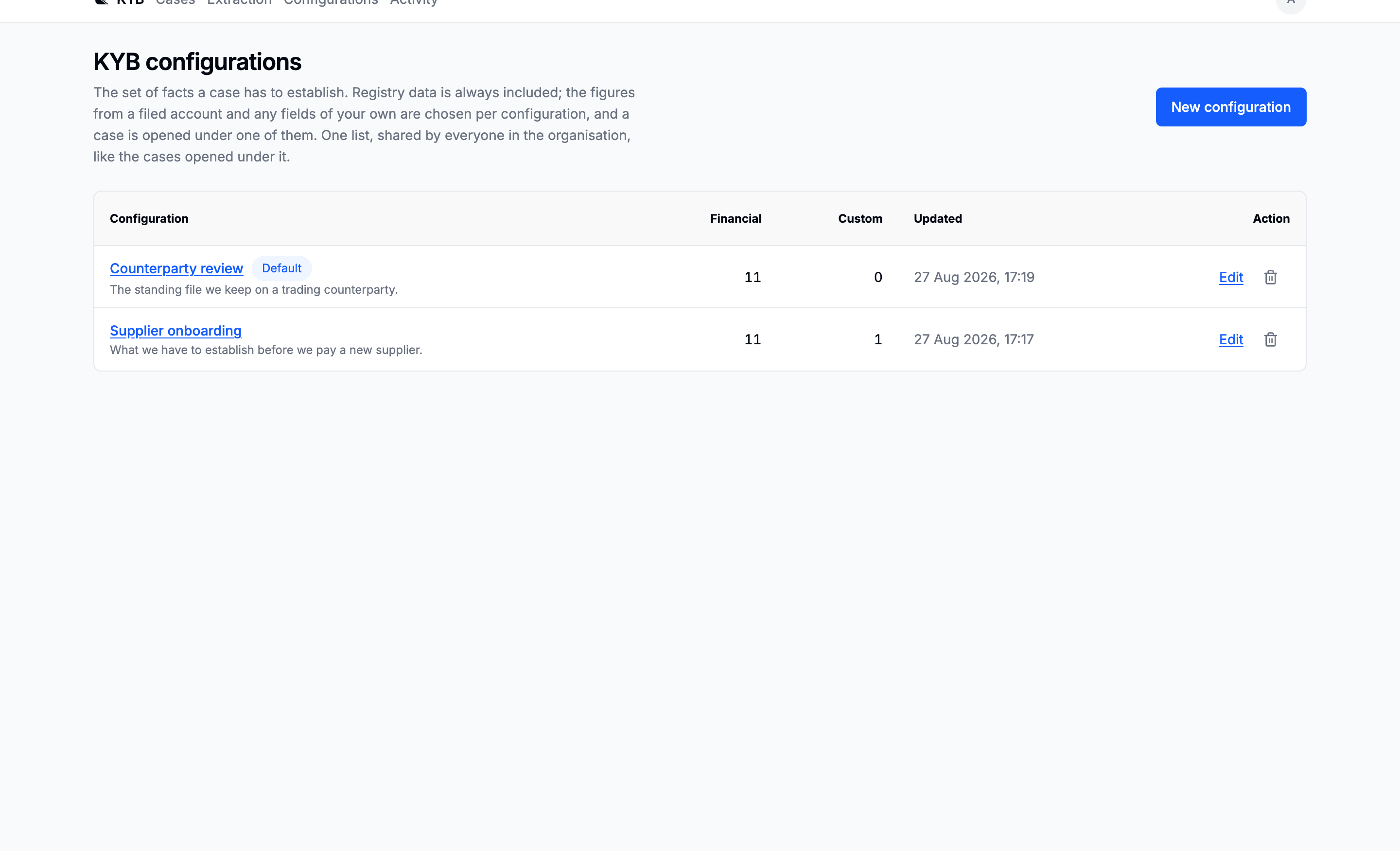
What a KYB file has to establish is not one list. Onboarding a supplier and reviewing a counterparty ask for different facts about the same company, so that list is stored as data and a case is opened under one of them.
The Company details tab on a case is the dossier a configuration produces: every field it asked for, the value that stands, and where the value came from.
Writing one
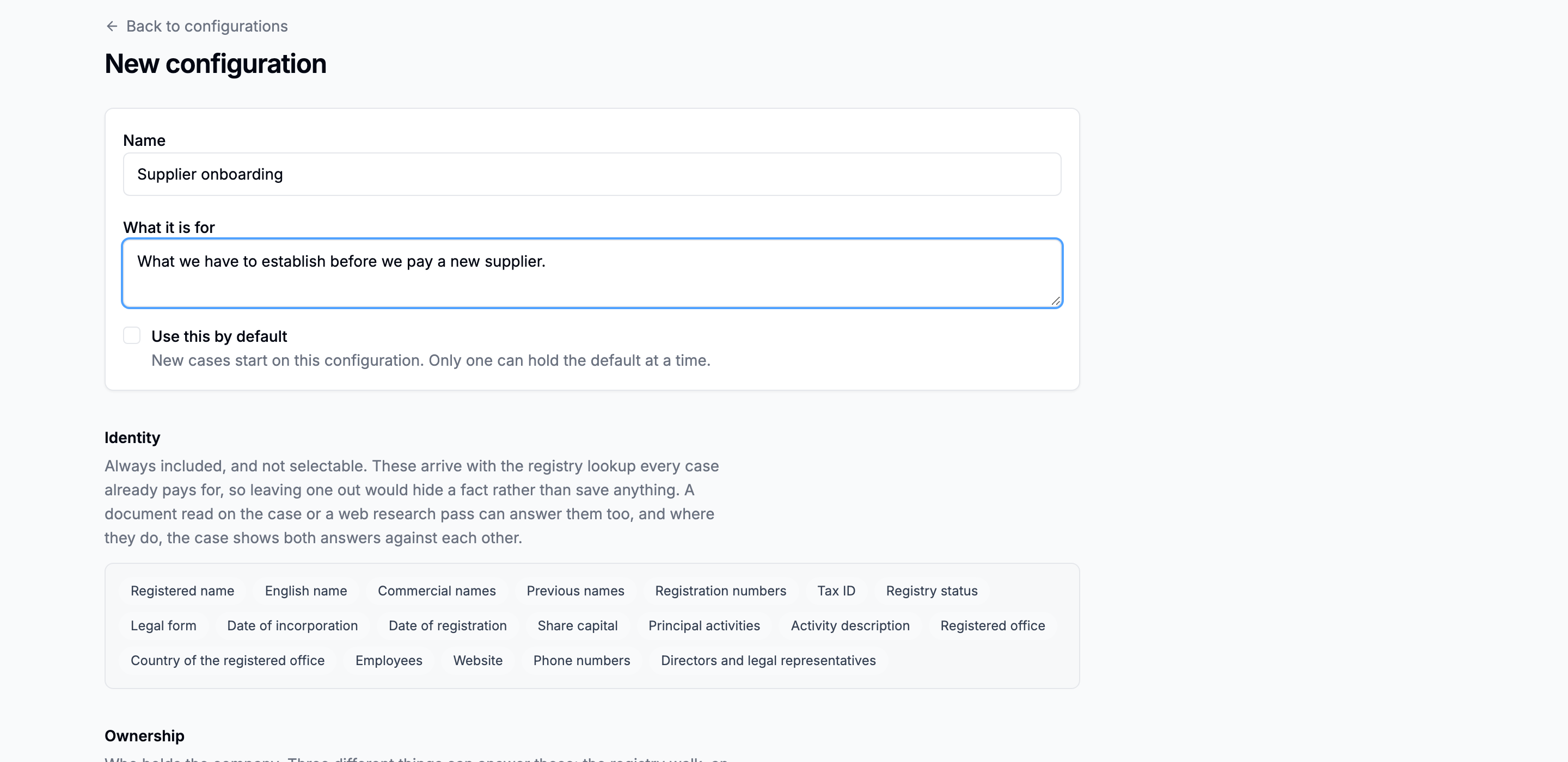
Use this by default selects it behind the collapsed Configuration control on every new company search. Exactly one configuration can hold that setting.
The form is laid out as the three populations it actually has, in ascending order of cost.
Identity: free, and not selectable
These values arrive with the registry lookup every case already pays for, so omitting one would hide a fact rather than avoid a cost. They are listed so you can see what you get for nothing, which is what stops a custom field being added for the share capital.
Ownership: selectable, on by default
Shareholders, beneficial owners, parent company. These are typed as ownership, which is the type that carries structure: the dossier renders one row per holder and one column per source, so a holder one source has never heard of is a blank cell, and a stake two sources disagree about is two numbers on one line. See Ownership is a field set, not a tab.
The fourth, Control by other means, is typed as people — one row per person, the arrangement in the role column. It is the field the report's control assessment reads for its second test: a person who can appoint or remove the board, holds a veto or is party to a voting agreement controls the company whatever the shareholder table says. The registry lookup never answers it, because the provider carries no natures of control; a PSC or control register extract read with a schema, a research pass, or a correction does. A case opened before this field existed does not ask it until its configuration is re-synced from Company details.
From the accounts: the figures a filed annual account carries
No register hands these over as data, so each has to be gone and got: a document has to be ordered or uploaded, and read with a schema. Each one therefore carries a coverage note saying which of your extraction schemas would actually answer it.

Custom fields: whatever else this file has to answer

- Label: what appears on the dossier and in the report.
- Name in the documents: the key everything joins on. Derived from the label if you leave it, and it is what an extraction schema must call the property and what the research pass will answer under.
- Type: text, number, date, money, list, or ownership.
- What to look for: optional, shown next to the gap when nothing on the case answered the field, and used as the hint a research pass is given.
The report block
The bottom of the form decides what a report issued under this configuration carries: which optional sections, whether every source is shown or only the one that won, and a cover note.
See Report options.
Editing one does not rewrite existing cases
A case stores both a reference to its configuration and a snapshot of the fields as they were when it was opened. The reference is how you get back to the editable configuration; the snapshot is what this case actually asked for.
When the two diverge, Company details says so and offers Update this case. Explicit, because a case that quietly changed what it was asking for is a case whose report you cannot explain.

History
Every configuration form carries a History section: what it asked for before, when it changed, and who changed it. This is where what did this ask for last month is actually asked.