Documents

Everything this case holds on paper, from either direction.

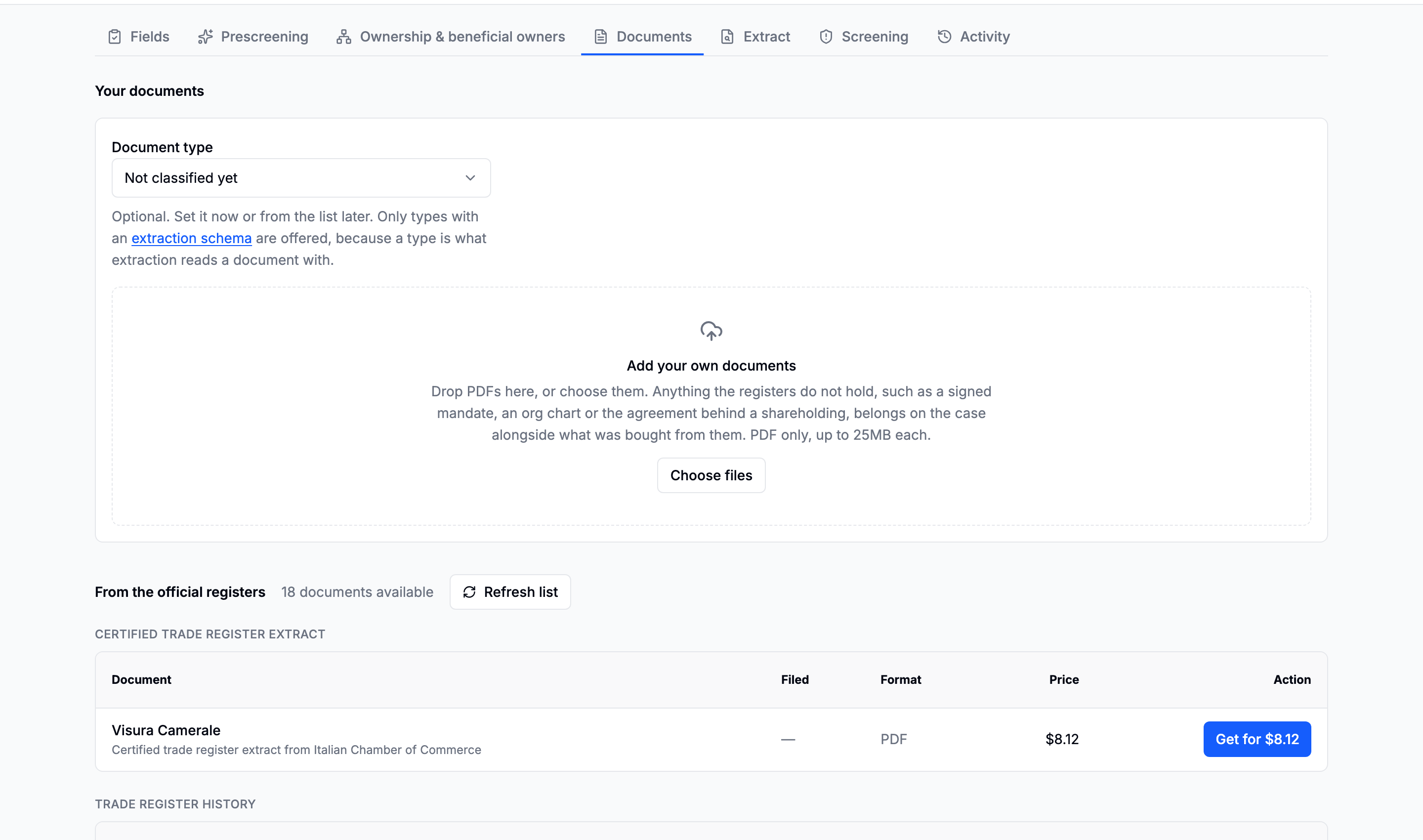
The Documents tab with the register catalogue above and the uploads below
Bought and brought, on one tab.

The register catalogue

Listing is free and happens on its own, so a case shows what it could produce before anything is asked for. Each document then carries its own price, paid one at a time.

The register catalogue grouped by category, each row with a document name, its date, its format and its price
Grouped by kind, with the date the register holds and the price of ordering it.

The categories a register offers are its own vocabulary: trade register extracts, certified extracts, register history, certificates of good standing, beneficial owners certificates, articles of association, financial statements, annual returns, official publications, and everything else.

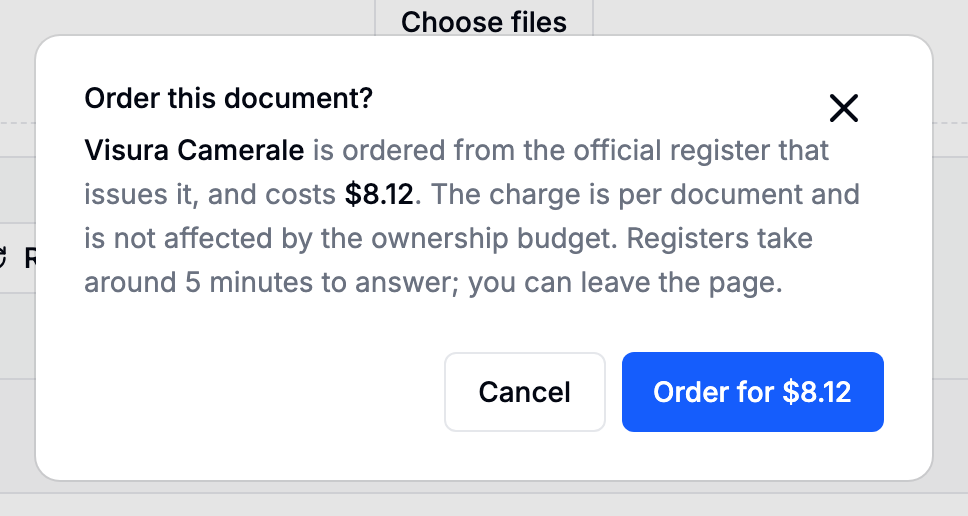
Ordering is per document and behind a confirmation naming the price.

The order document confirmation naming the document and its price

Deliberately separate from the ownership budget: that figure bounds a walk that runs unattended, while every document here is a person reading a price and deciding.

Refresh re-reads the catalogue, free. Registers answer one at a time, so a listing grows: what was not there ten minutes ago may be there now.

Delivered documents are yours

A document ordered from a register is copied into your own storage the moment it is delivered. The register's own link expires within minutes; Download on the row keeps working.

A filing sometimes arrives as two files

An Italian Bilancio, for example, arrives as a machine-readable archive plus a PDF rendering of the same accounts. Both are kept:

  • Download gives you the PDF, which is what a person reads and what the extractor can read.
  • As filed gives you the original archive, which is the only machine-readable copy of those figures.

Most documents are a single file, and then there is nothing to choose.

Uploading your own

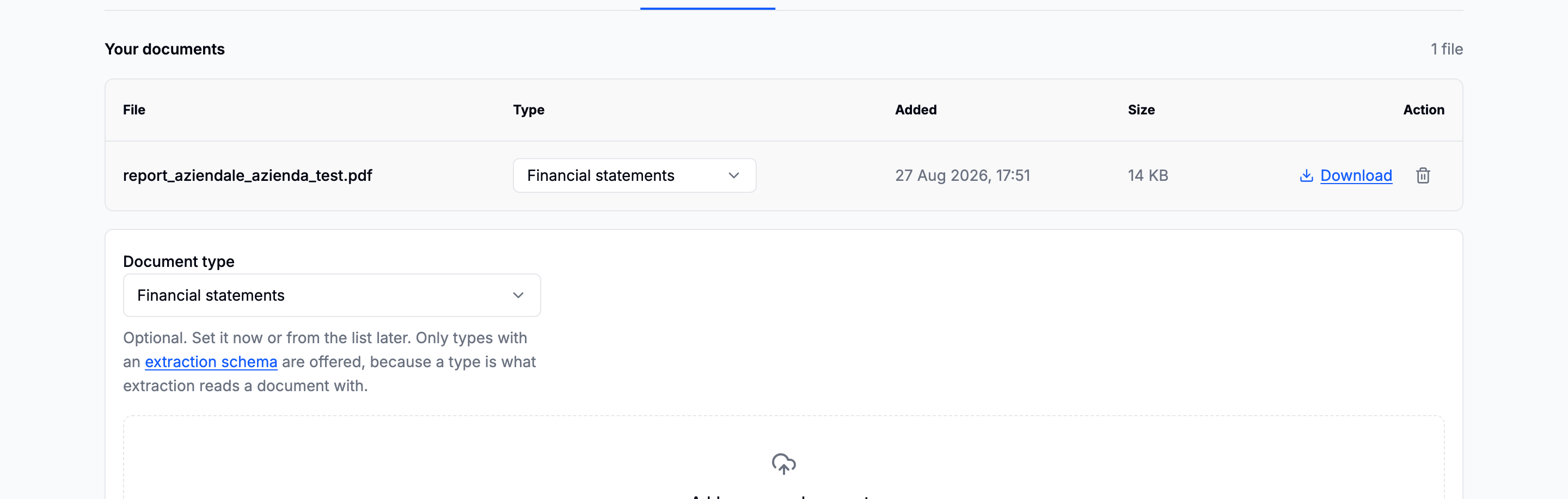
Drag a file in, or press to browse. Anything you already hold: a visura somebody emailed you, an org chart, a certificate, a contract.

The upload area with a file being dropped in and the type select beside the uploaded row
The type is the important part.

Give every upload a type. The type is what decides which extraction schema reads it. An untyped document cannot be read, and the Extract tab will say exactly that.

Only types that have a schema behind them can be chosen for a new upload, which is the product refusing to let you file something under a name nothing will ever read. If the type you need is not offered, write the schema, and the type is created as part of that.

Reclassifying a document afterwards is allowed and is recorded in the case's activity with the type it had before.

Deleting an upload removes the file and its extraction. What it read is removed from the dossier with it.

If uploads are unavailable

Document storage has not been configured on your deployment. Ordering from registers and everything else still works. Ask support.

In this section