Reading an extracted document
The Documents tab shows whether processing is running, failed or complete. Select View extraction on a completed document to open its dedicated review page.
Review a value
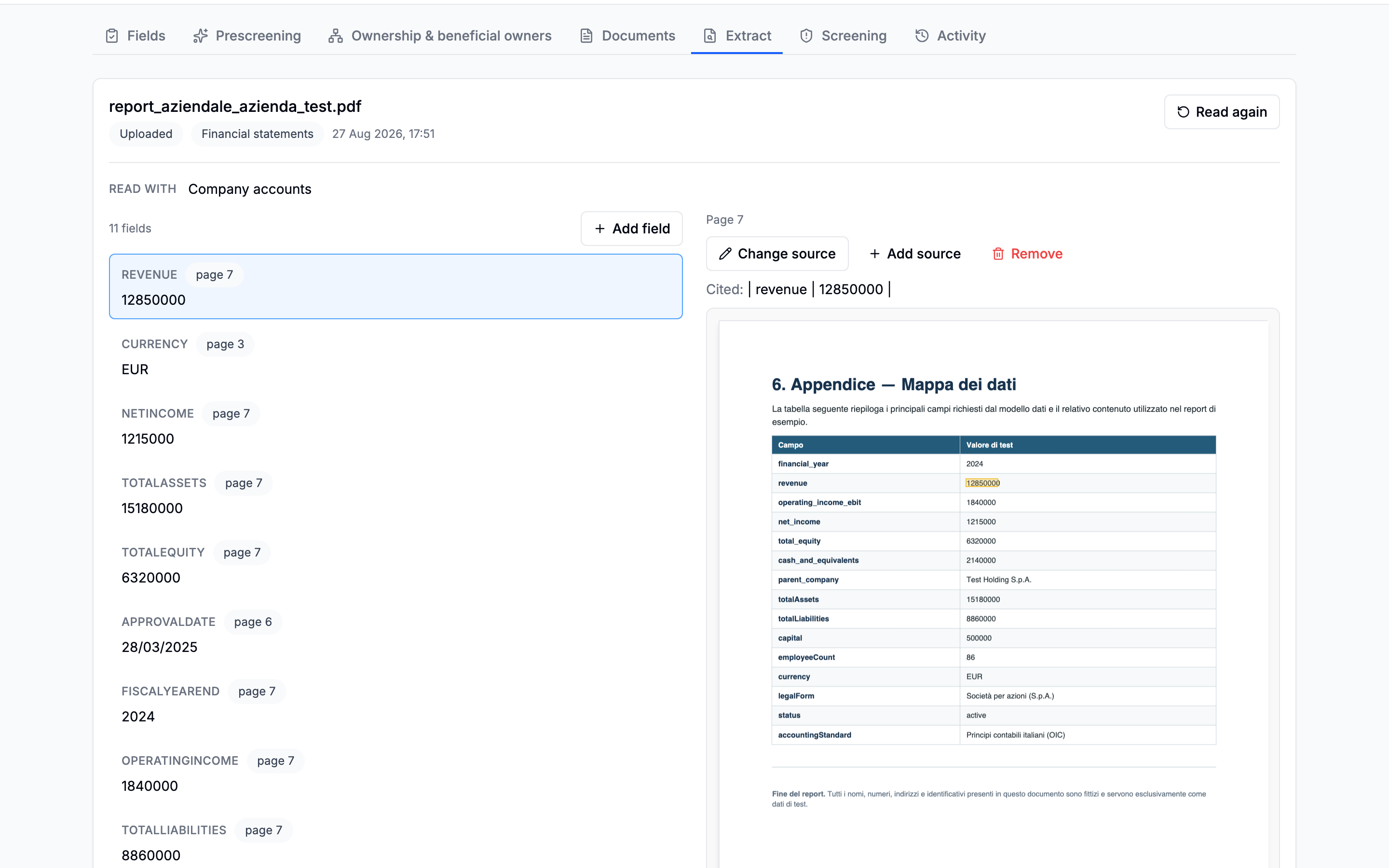
Select an extracted field to open its page and highlight the cited passage. The PDF preview remains fixed while the field column scrolls.
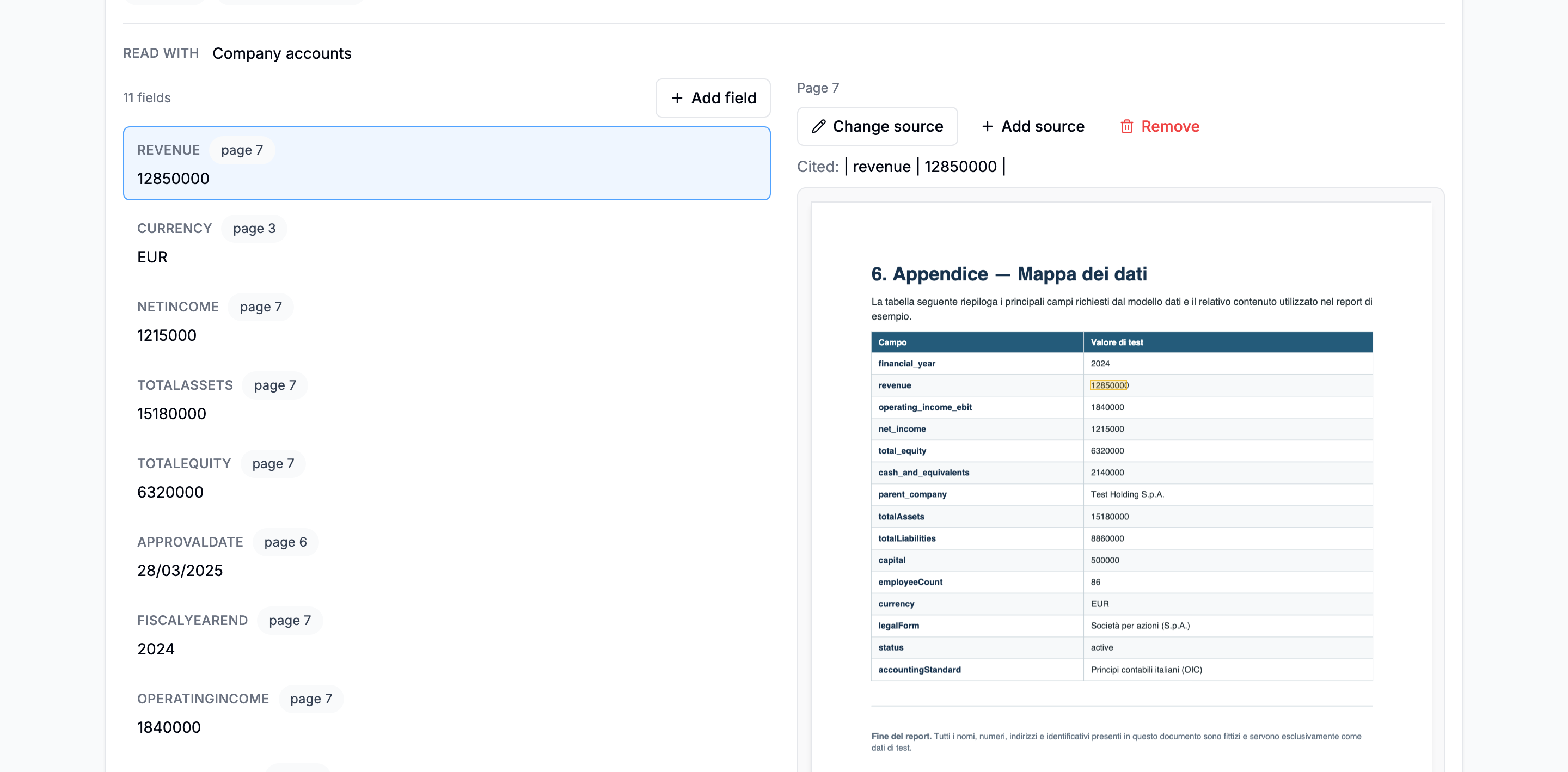
The page offers four evidence actions:
- Change source replaces the cited passage;
- Add source records another supporting passage;
- Remove drops a citation that supports nothing;
- Add field records a value the extraction missed.
These actions change the evidence attached to the extraction and are written to the activity trail.
Read again
Return to Documents and select Read again after correcting a type or schema. Automatic extraction is the default for new documents; Read again is the deliberate reprocessing action for an existing one.