Corrections
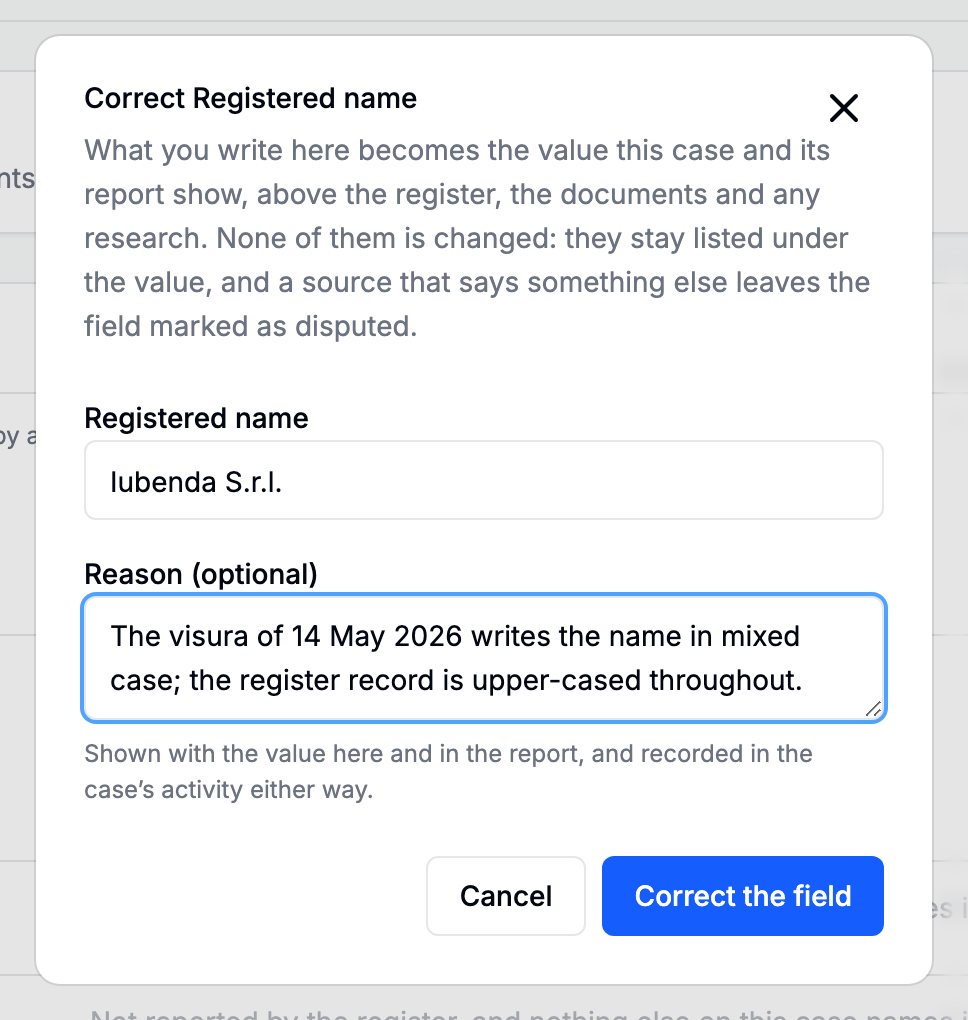
The pencil on any field row. A correction says the value is X, and it outranks every automatic source on that field.
When to use one
- A field no document on the case carries. This is the main case: you know the answer, from somewhere the platform cannot reach, and the file needs it stated.
- A reading that is wrong. A model read the document and got a figure wrong; the paper is stronger than the reading. Correcting from inside the evidence viewer is usually better, because the correction lands next to the passage it disagrees with.
When not to use one
To affirm a source you already have. That is a resolution, and using a correction for it leaves the field disputed and makes the report say somebody corrected a value nobody corrected.
Entering a list or an ownership field
Multi-line fields are read one entry per line. For an ownership field, a line is a holder and its stake:
Acme Holding S.r.l. 60%
Maria Bianchi 25%
Giulio Rossi 15%
In the report
A corrected value prints marked corrected by a reviewer, with the reason if one was given. That is the one line in the document that rests on a person rather than on a source.
Editing and removing
A correction can be edited or removed from the same dialog. Both are recorded in the case's activity with the value before the change, which is what makes a correction safe to make: the earlier answers are all still there, and removing yours puts the ordinary precedence back.