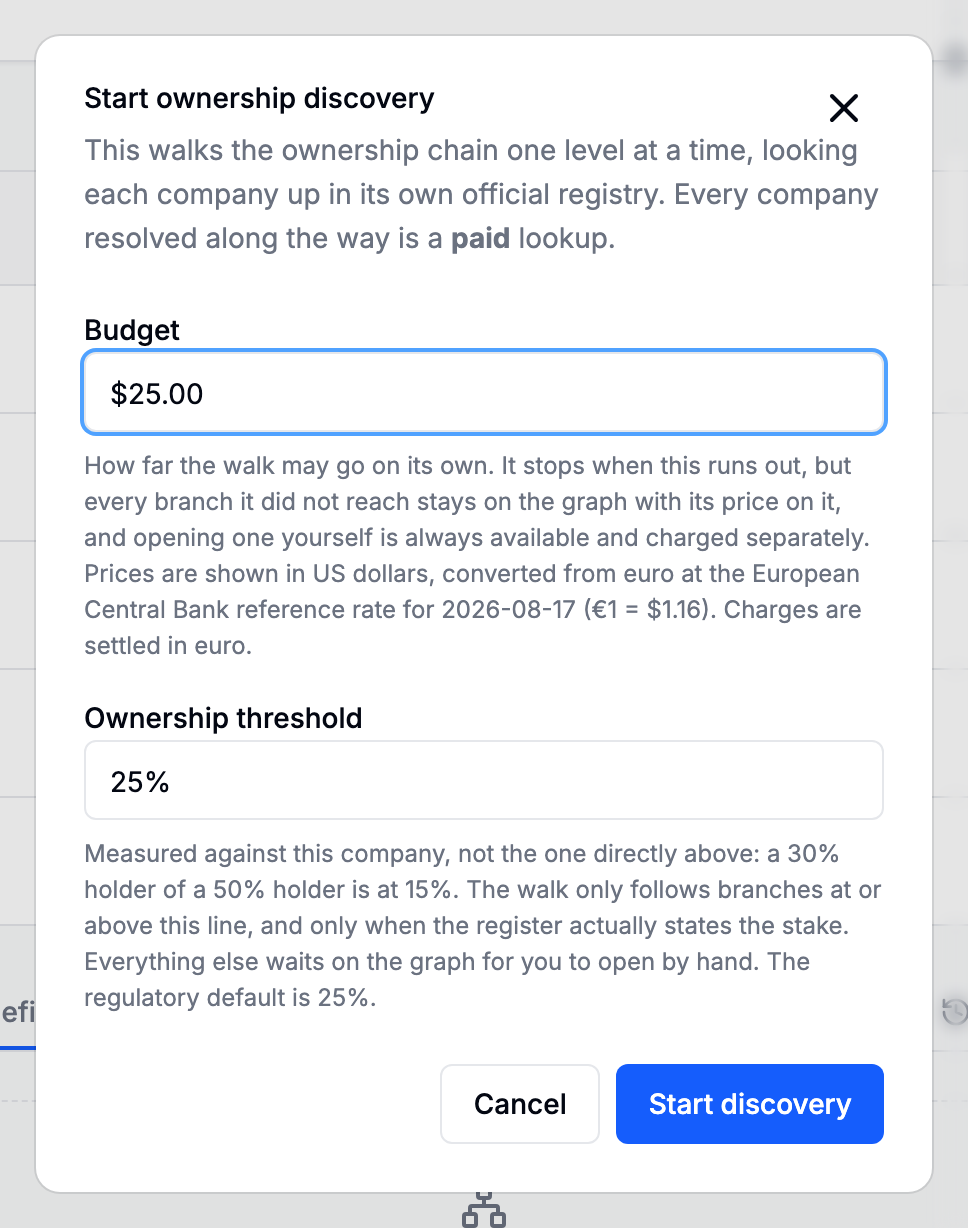
Budget and threshold
Both values are shown on New Company Search when Ownership graph is enabled. They are confirmed with the request and can be adjusted later from Ownership.
The threshold is materiality
A branch is followed automatically when its effective stake in the subject is at or above the threshold. Effective means the product along the chain, so at a 25% threshold:
| Chain | Effective | Followed? |
|---|---|---|
| Subject ← A at 60% | 60% | Yes |
| Subject ← A at 60% ← B at 50% | 30% | Yes |
| Subject ← A at 60% ← B at 50% ← C at 40% | 12% | No, but expandable, with its price shown |
| Subject ← D, no percentage stated | Unknown | No, because unknown is not small |
Twenty-five percent is the common default and matches the usual beneficial-ownership test. Lowering it follows more branches and costs more; raising it costs less and leaves more chips on the canvas for you to decide about one at a time.
The threshold is also what the report's ownership part states it was traversed to.
The budget bounds the walk, not you
The budget answers how far may this run on its own. It applies to automatic spending only.
- Each automatic step is quoted before it runs. If the quote is greater than the remaining budget, the lookup is not started.
- When the budget is gone the walk stops and says so.
- Raise budget gives it more room, and is recorded in the case's activity.
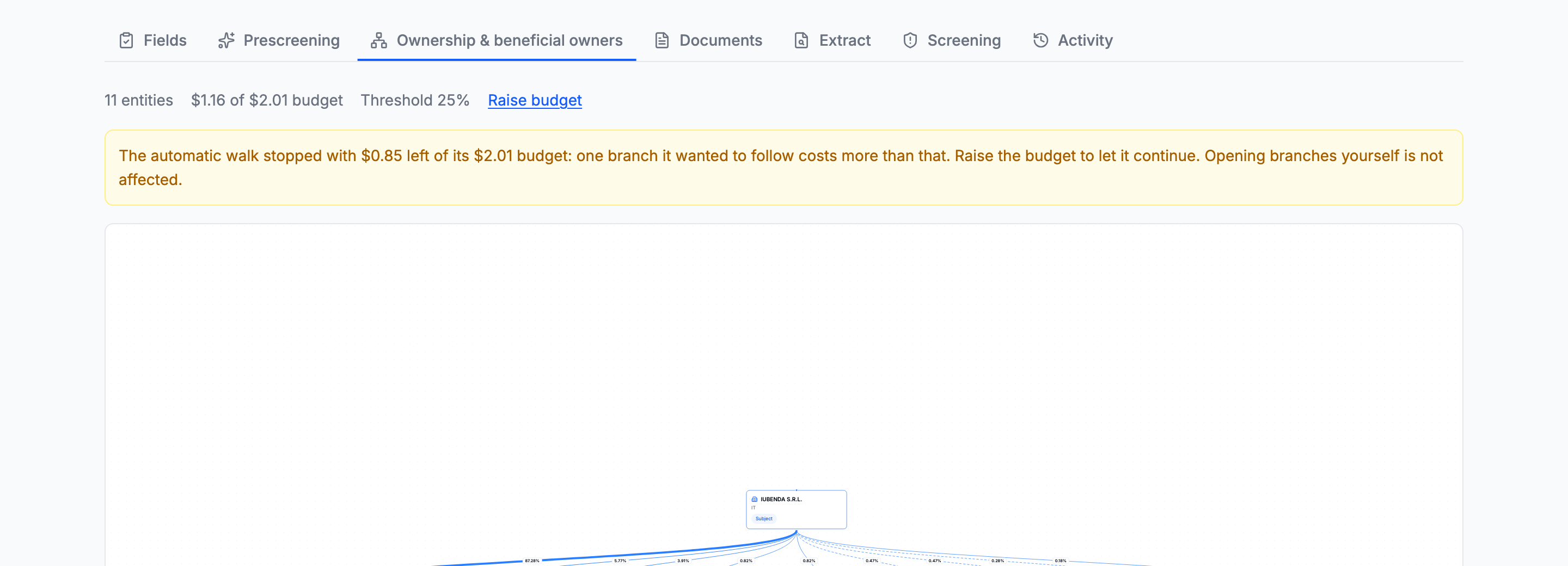
Opening a branch by hand is neither charged against the budget nor blocked by it. Every branch is clickable at any budget, with its price on the pill: you are looking at one branch, with the number in front of you, and a figure typed earlier has no standing to overrule that. Blocking it would only teach people to inflate the figure.
Automatic spend and manual spend are tracked and shown separately.
If an older request exceeded its limit under the previous guard, the spend summary labels the excess explicitly. New steps use the pre-flight check above and cannot increase that overrun.

What a step actually costs
A company already paid for on this case is not billed again, which is why an already-fetched branch can quote near zero. The quote on a pill is what expanding that branch costs now, given what the case already holds.
Running it unattended
The background walk settles each step and takes the next one without requiring the Ownership tab or browser to remain open. Its state is also visible in the request's Checks panel.
Several guards bound it, and the case budget is only one of them:
| Guard | What it bounds |
|---|---|
| One live step per case | Two steps can never run against one case at once |
| One company per automatic step | A mis-quote costs one company, not twenty-five |
| The case budget | The walk never picks a step it cannot afford |
| A cap on the request itself | Anything over it is refused, free, and the real price is reported |
| A daily cap across all cases | Which no individual case can raise |
| A limit on steps per case | A pathological graph stops walking rather than walking for ever |
| A kill switch | One setting stops every unattended walk at once, on every case |
A branch is never retried automatically once it has failed, because a budget refusal recurs while the budget does not change, so retrying it automatically would mean retrying it for ever.