Screening
What this case's subjects are on record for. Two checks, one table: the watchlists, and the news. They are asked of the same list of subjects, because looking at a director you are asking one question: is there anything against this person.
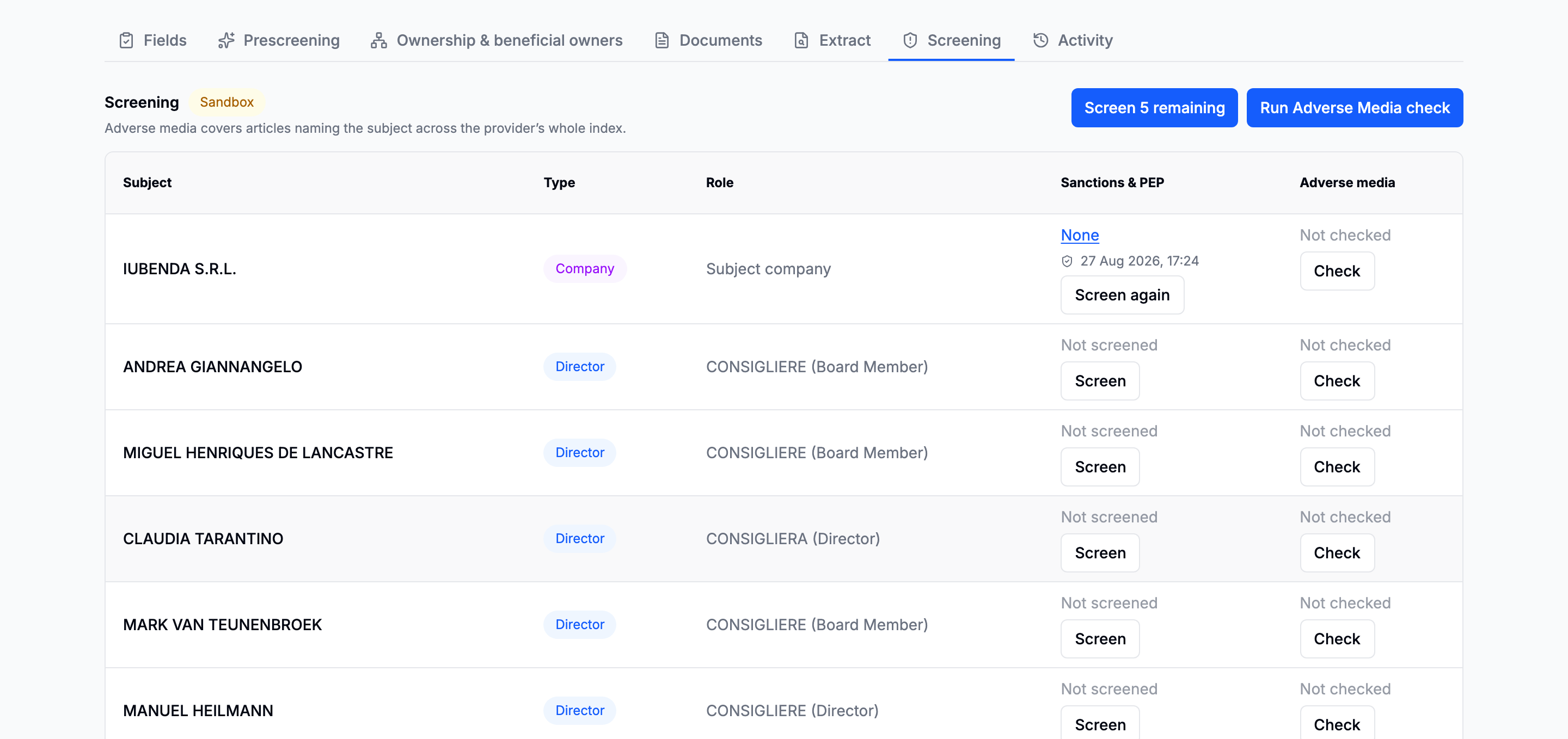
What stays separate is everything underneath. The two draw on different data, are billed differently, fail independently, and carry different evidential weight: an entry on a sanctions list and a newspaper article naming somebody are not the same kind of fact. The merge is in the reading, not in the plumbing.
Who gets screened
Derived from the case on every render rather than stored, so the list grows on its own: walk another level of ownership and the people it finds appear here, waiting to be checked.
| Subject | Where it comes from |
|---|---|
| The company | The case itself |
| Directors and legal representatives | The register's record, current appointments only |
| Beneficial owners | The ownership walk, or the structure entered by hand |
A director who left in 2016 is not part of the customer being onboarded. What goes in this list is almost the whole cost of this tab.
The register and the ownership graph identify them differently and will disagree about the spelling and the date of birth. Screening both is two statements about the person from two sources; collapsing them would mean choosing which source to believe before anyone had looked.
Checks that start with the request
The subject company is screened against watchlists as soon as registry data lands. If Adverse media was enabled on New Company Search, that check starts with the request as well.
Directors and beneficial owners appear as their source checks settle. Additional screenings are offered with a confirmation that names the people involved.
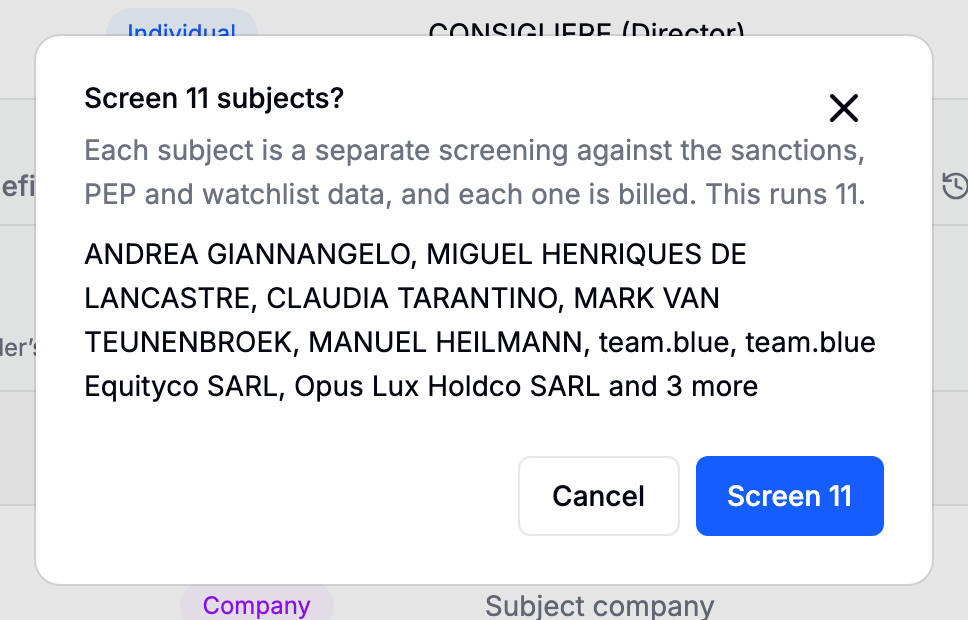
A fan-out left half-run because you closed the tab finishes the next time anyone opens the case.
Reading a result
Matches are not hits. What comes back is the raw matches, unscored: candidates for review. The result is a page of its own, linked from the cell, because six subjects' findings unrolled under a six-row table is a screen nobody scrolls to the bottom of.
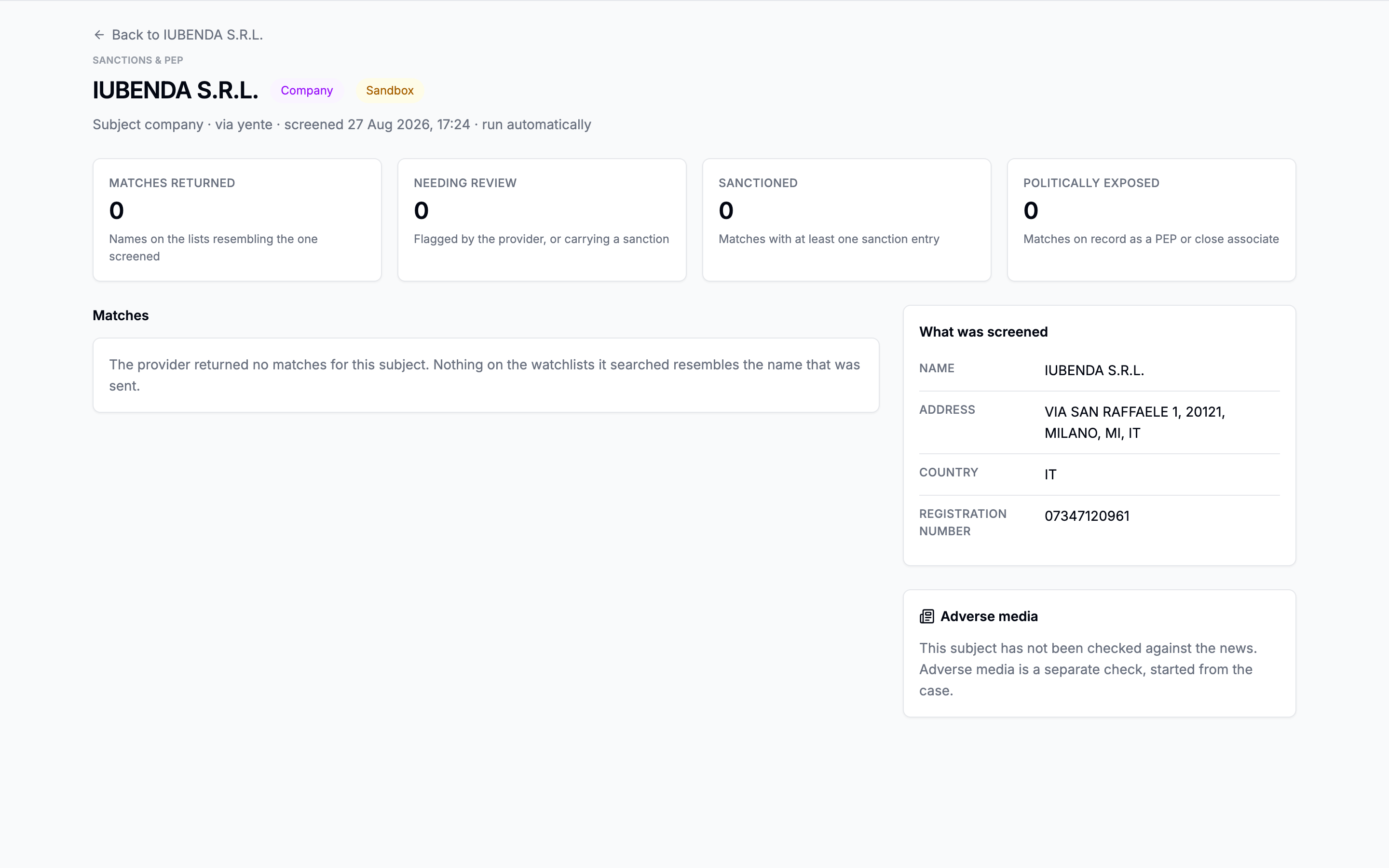
Opening one shows it whole: names and aliases, dates of birth, nationalities, the list it came from, and the properties that actually matched, usually the fastest way to dismiss a namesake.
Ruling a match out
A match is a name on a list that resembles the subject's. Deciding whether the sanctioned Mario Rossi born in 1961 is the director born in 1974 is the reviewer's work, and the result's page is where it is written down.
Every flagged match has a Not this subject button, on the matches table and on the match's own page. It asks for an optional reason, marks the match as ruled out with your name and the date, and records the ruling in the case's activity. The match stays on the page, greyed and sorted after the ones still open, so the next reviewer sees what was judged and can disagree; Reinstate puts it back.
A ruling belongs to the subject and the match, not to the screening. Discard the run and screen the subject again, and the same list entry comes back already ruled out.
The provider's "to review" flag and its match count are the provider's. Ruling every flagged match out does not clear them; what the page and the case's Screening tab add is how many of the returned matches were ruled out.
The reviewing agent
Where your deployment has switched it on, the reviewing agent can read the hits for you — the flagged watchlist matches and the news articles — and, for each, say whether it is about the subject at all. It is the same agent that works through disagreements between sources in Company details, doing a second job under its own settings: Off, Suggest or Auto-pilot, chosen separately from the first.
In Suggest, each hit it has read carries a proposal: Not this subject with the identifiers that decided it, or Needs a person with what agrees and what to check. Rule it out applies the proposal in your name, with the agent's sentence as the reason; Dismiss throws it away, and the agent does not raise that hit again.
In Auto-pilot, the agent rules out the hits it is sure enough are not the subject, and leaves the rest — including anything it thinks might be real — for a reviewer. A ruling it made on its own says so, on the page and in the report, and the case's activity records it with the pass, the model and the reasoning behind it.
The agent never confirms a match. A hit it cannot rule out is a hit for a person, with the agent's reading attached. Ask it to look at a case from the Screening tab with Ask the agent.
Sandbox results are marked as such
Whether a screening ran against live data or against sandbox data is recorded on the run itself, and shown. A case built on the test country is always forced to the sandbox, whatever the configuration says, because a sandbox hit must never be readable as a real one.
Screening again
Discard, then screen. Two acts, deliberately: a completed screening refuses its own replacement until it is discarded, because "refresh" would be the wrong word for something that re-bills.
In this section
Screening has not been set up on your deployment. Nothing else on the case changes. Ask support.